Skip to content

How to send money?

Learn about everything from Viamericas with the resource center for our ViaOne products and services.

Step 1: Select customer

Once inside the ViaOne system, we will click on the search customer bar and sect the sender’s profile.

Step 2: Select beneficiary

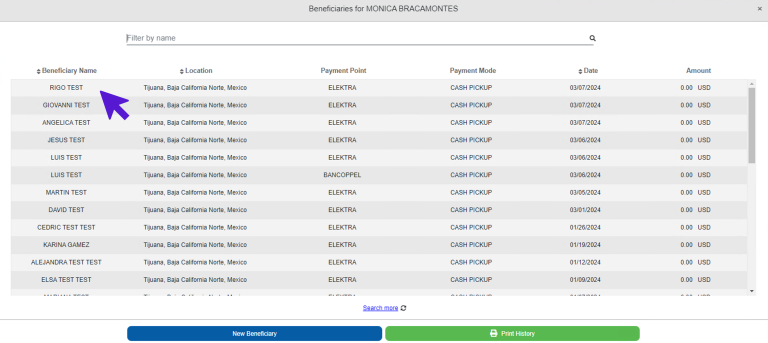
  • Once the sender’s profile has been selected, the beneficiary’s directory will open automatically. 
  • We have two options to select the beneficiary: 

1) Select an existing beneficiary from the list.

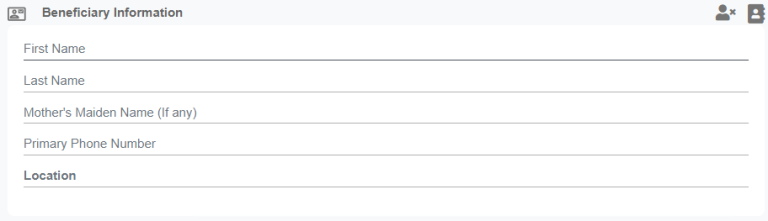
2) Click the “New Beneficiary” button to add a person’s information. 

Step 3: Verify invoice information

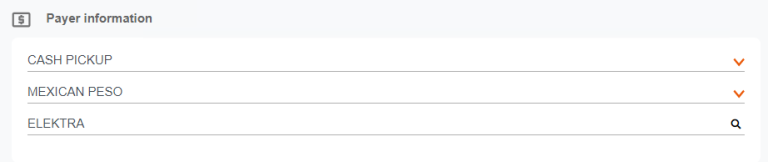
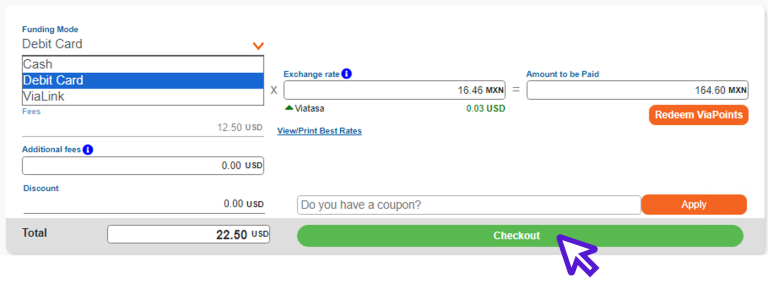
  • After selecting the beneficiary, we will verify the invoice details.
  • Payer, invoice location, currency, transaction amount.

And if the invoice is paid with a debit card, we will activate the option before clicking the save button. 

Remember to verify that all data is correct before saving. Good luck!