Skip to content

How to make a bill payment?

Learn about everything from Viamericas with the resource center for our ViaOne products and services.

Step 1: Select Customer

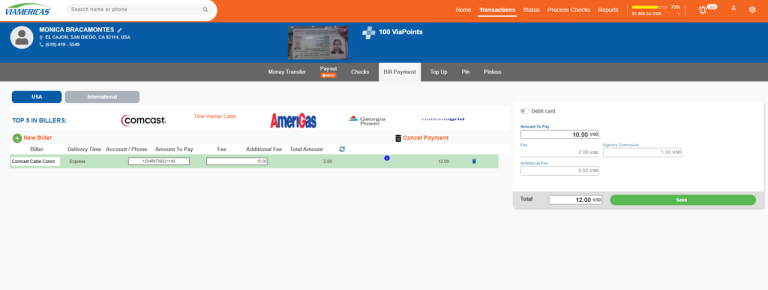
  • Once inside the ViaOne system, click on the search bar to find a customer, and enter the sender’s name or phone number. 
  • After selecting the customer’s profile, proceed to close their beneficiary schedule, and switch to the bill payment option. 

Step 2: Select Biller

  • To make a bill payment, we have two options: 

1) Click on the “New Biller” button to search for a biller. 

2) If the customer already has a bill payment history, enter the amount to be paid in the payment amount field.  

Step 3: Verify Information

  • Verify the biller’s information, account number, amount to be paid, and your customer’s name. 
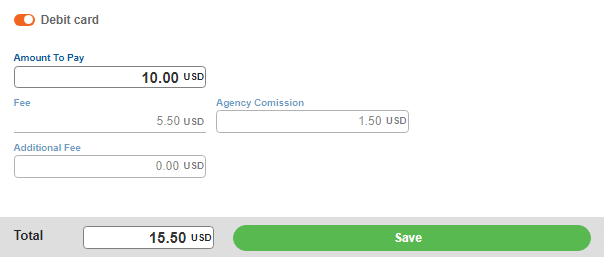
  • If the bill is to be paid with a debit card, activate the option before clicking the save button. 

Remember to verify that all data is correct before saving. Good luck!