Learn about everything from Viamericas with the resource center for our ViaOne products and services.
Step 1: Open the form to add a client
To add a new client, you must click on the client search bar and select the “Add” option.
Step 2: Adding information of new customer
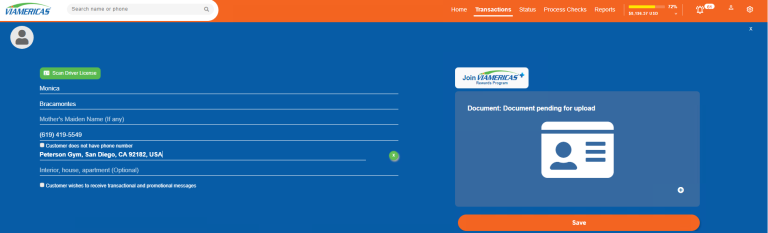
After you click “Add”, a form will open for you to enter the information of the new customer, make sure you fill in all the necessary fields such as name, address, phone number, etc.
Step 3: Saving the information
Once you have entered all the customer information, click the “Save” button.
This allows the data to be stored correctly in the system.
Remember to verify that all data is correct before saving. Good luck!